
–
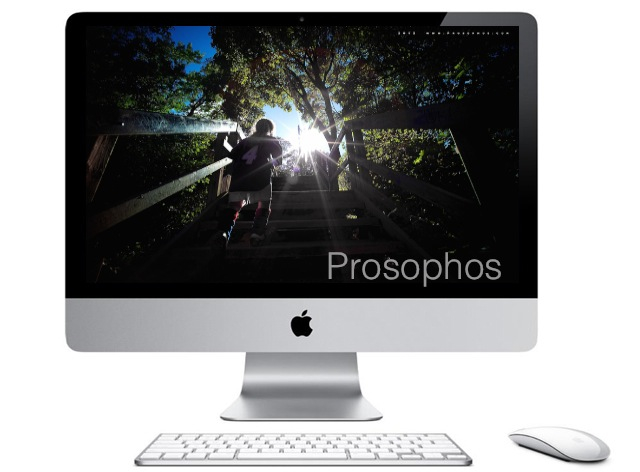
I’m currently having trouble with my almost 3 yr old iMac.
It’s faithfully helped me post-process all of the images you’ve seen on this site, both film and digital, but over the last few months it has slowed down to a crawl.
Often it just freezes, necessitating a re-start.
So, I had it checked out over the weekend and it turns out that the hard drive needs replacing. It since has been sitting in my local Apple store, and is currently in “repair” status, so I haven’t been able to process any new images. Instead, I’ve been posting my previously prepared images using another computer.
(The “spice” has to keep flowing, after all…)
As it turns out, I’m not the only one with the same problem… a few days ago, I received a message from Apple, stating:
–
Dear iMac owner,
Apple has determined that certain 1TB Seagate hard drives used in 21.5-inch and 27-inch iMac systems may fail. These systems were sold between October 2009 and July 2011.
Our records show that you have an iMac with an affected 1TB Seagate hard drive. Apple will replace your hard drive with a new one, free of charge, under the iMac 1TB Seagate Hard Drive Replacement Program.
Please choose one of the following options to get a replacement hard drive.
• Apple Retail Store – Set up an appointment with a Genius.
• Apple Authorized Service Provider – Find one here.
• Apple Technical Support – Contact us for local service options.
Apple recommends replacing your affected hard drive as soon as possible. Before you go in for service, please back up your data. Learn more about backup options.
Additional Information
You will need to have the original Mac OS installation discs that were shipped with your iMac in order to reinstall your operating system, other applications, and any backed up data after your hard drive is replaced.
This worldwide Apple program does not extend the standard warranty coverage of the iMac.
Apple will replace affected 1TB Seagate hard drives, free of charge, for three years from your iMac’s original date of purchase or until April 12, 2013, whichever provides longer coverage for you. Apple will continue to evaluate service data and provide extensions to this program as needed.
We apologize for any inconvenience.
Sincerely,
Apple Inc.
–
So, if you’re having trouble with your iMac, check to see if yours is affected.
–
As an aside, along with the hard drive fix, my computer screen is also being replaced free of charge (thank you AppleCare), because it started developing some horizontal dark banding in the upper left corner.
I guess I could complain about my computer falling apart, but instead I’m pleased that Apple is standing behind its product, and its extended warranty. Thank you Apple.
And, since I intend on holding on to my Leica M9, I don’t have a pressing need to upgrade this iMac. Hopefully, when I get it back, it will give me a few more years of service.
—Peter.
 Prosophos
Funny you should mention this…..the family iMac has this issue although we didn’t realise it was an issue until yesterday. My iMac (the selfish one) is just after the date in question…….:-)
Hopefully it can be taken care of.
One of the many reasons I’ve switched to an Imac; the impeccable customer service of Apple. Hope to see many of your awesome photo’s processed with your Imac in the future Peter 🙂
Thanks Vincent.
Sorry to hear about your computer issues, but its a good feeling knowing the manufacturer already has a plan in place to remedy the problem.
My MacBook Pro is now 6 years old and still ticking. To improve its performance I recently replaced its hard drive with an 128 gig SSD. I also removed the DVD and replaced it with a 7200 RPM 750 gig hard drive.
I have my OS and apps running on the SSD and the other drive has my Aperture Library. The SSD makes a big difference in speed.
Having an SSD drive is something I haven’t yet had the pleasure of experiencing… sounds amazing.
When I eventually get my iMac back, I’ll try my hand at upgrading the RAM…
I would definitely upgrade your ram to the max. It’s not difficult doing this yourself or for that matter updating the hard drive. But since Apple has that covered no worries there.
It would be interesting if you could put an SSD in your iMac as the primary drive and then attach a fast external drive for your data.
Ok Peter !
Hoping You will have the pleasure very soon to PP your Picture…
And so will We 😀
My Best.
Hugues.
Thank you Hugues… I hope you get your Monochrom and lenses back soon…
Hi Peter.
Thank you for advise I didn’t know about that program until read your post. My iMac is also eligible for the replacement program but I had to replace my drive on april! The iMac is an wonderfull machine but it’s not so wonderfull when ones need to repair an internal drive — which is an easy task on Mac Pros for instance.
As Pandorf stated SSD truly rocks! About 10 days ago I got a macbook pro 2012 (non retina) with 2 ssds running under strip-raid. It’s insane fast.
Hello Luiz. I’ve been tempted to upgrade to an SSD Macbook Pro but I’ve grown to appreciate editing on the larger screen of the iMac so I’ve kept my current set-up. I’ll definitely choose the SSD option when it’s time to move on (it may not even be an option at that point – it will likely be the standard).
Certainly the iMac’s large screen is way better than a smaller notebook screen. Actually I use 2 screens adding an Eizo large screen in extended mode, it’s not the elegant solution but works out.